Hello Everyone, welcome to the next part of the “GST Blog Series”, in last part we created all the masters required for the GST setup, in this blog we will now map these masters and start the Tax Setup.
So, let’s start.
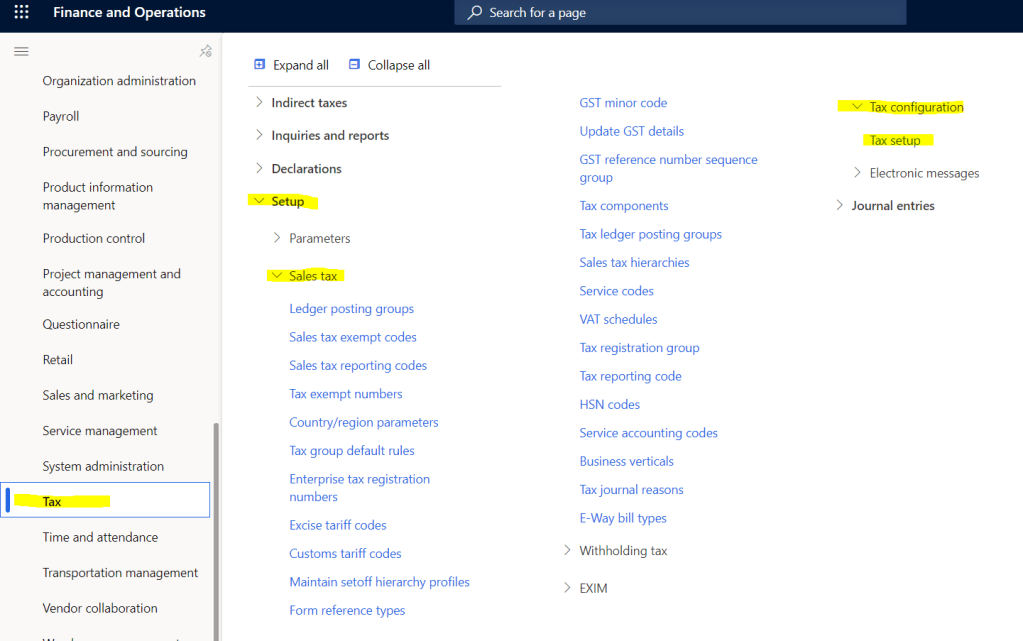
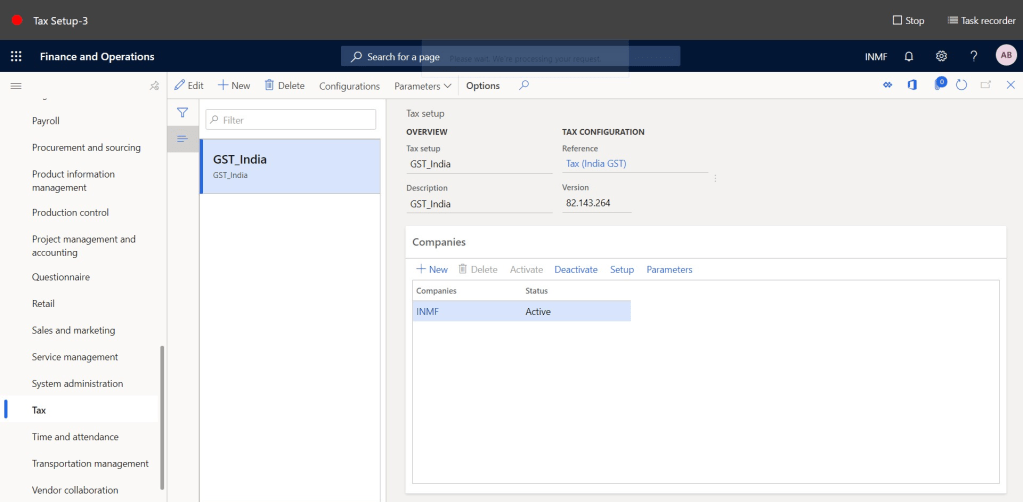
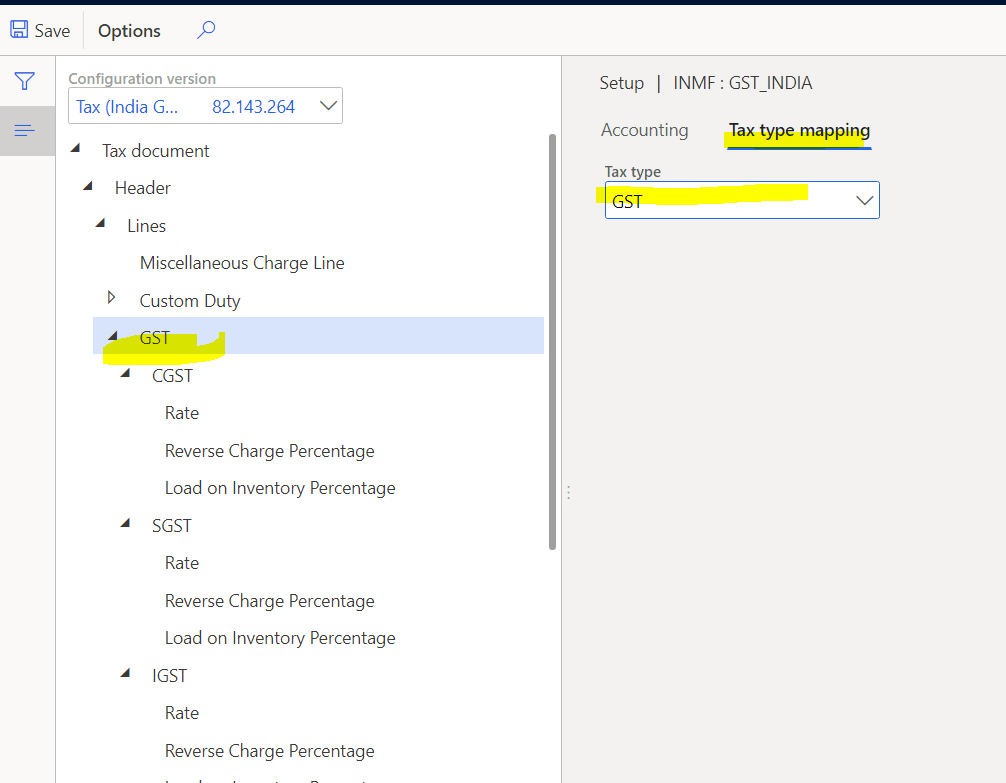
Step-1: Tax Type mapping, Navigate to Tax > Setup > Tax Configuration > Select legal entity > Tax Setup > Select GST node > Click on Tax Type Mapping
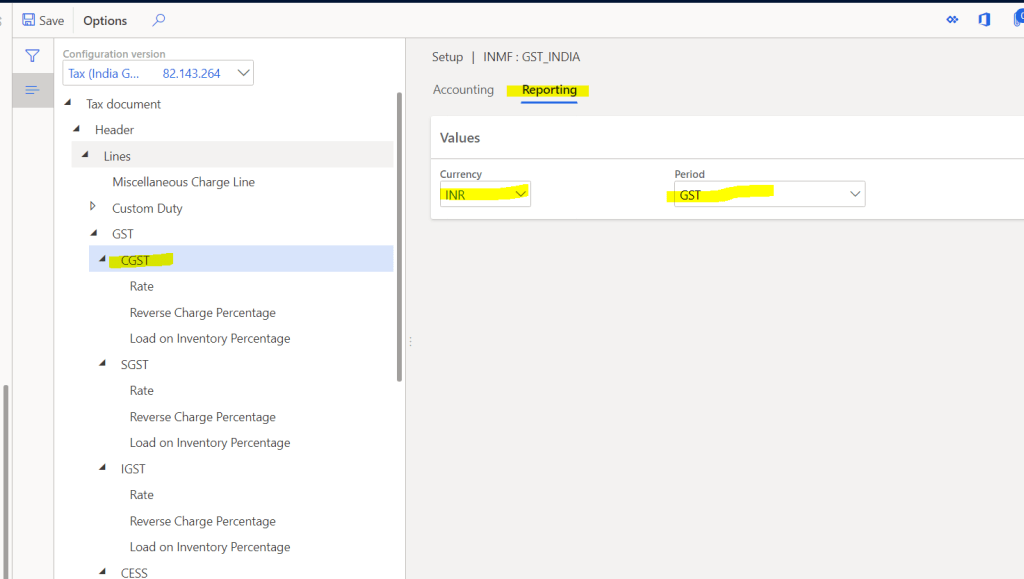
Step-2: Select GST component node CGST > Reporting, Map Currency and Period
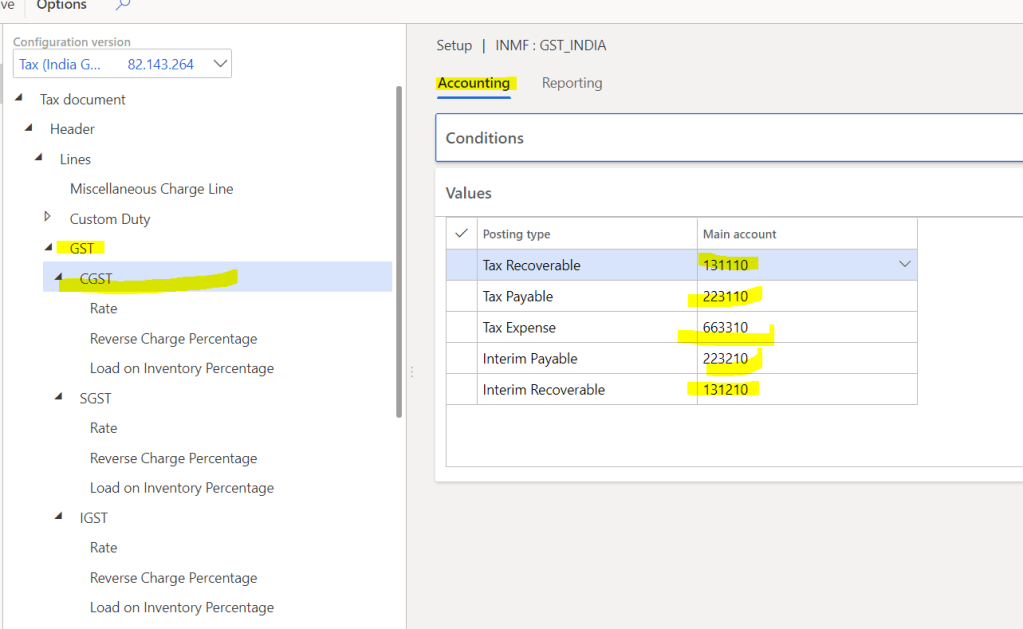
Step-3: Click on Accounting Tab of CGST Node, Define the required Main accounts
Note: My recommendation is defined Main accounts for all posting types at the GST Component level.
Posting Type:
- Tax Recoverable: All the input credit amount will be posted in this main account
- Tax Payable: All output GST payable will be posted in this main account
- Tax Expense: This Main account will be used when there is no input credit and expenses are not loaded on product cost
- Interim Payable: In case of RCM this will be used
- Interim Recoverable: In case of RCM this will be used
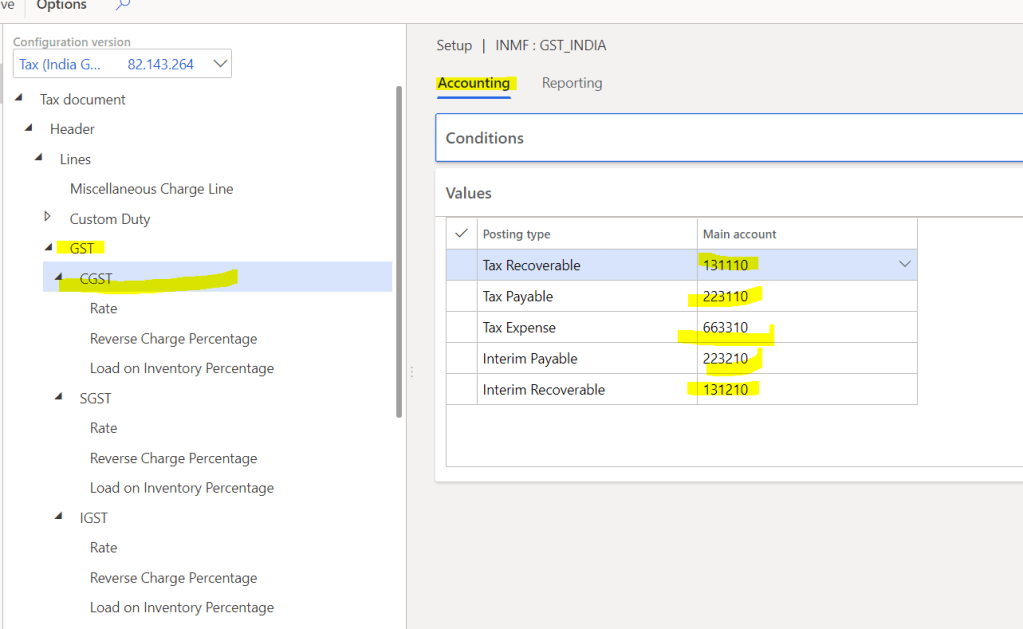
Step-4: Define HSN/SAC rates,
Navigate to Tax > Setup > Tax Configuration > Select legal entity > Tax Setup > Select CGST Node’s Rate Tab

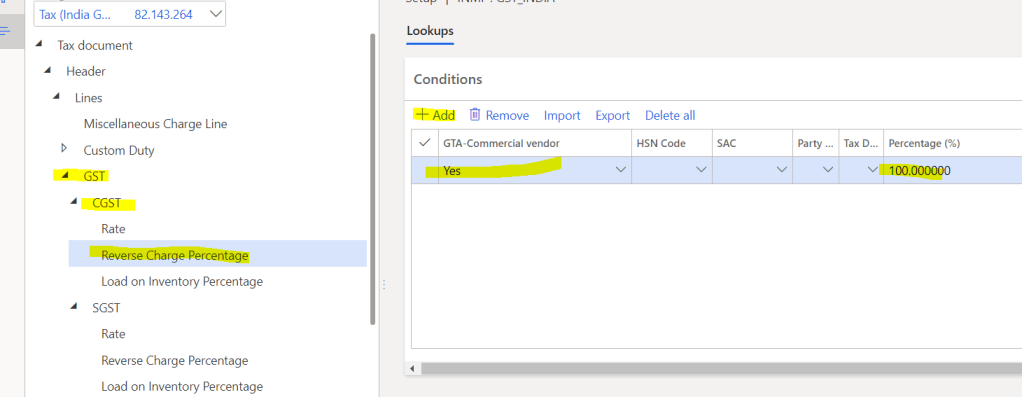
Step-5: Define Reverse Charge percentage
Navigate to Tax > Setup > Tax Configuration > Select legal entity > Tax Setup > Select CGST Node’s Reverse charge percentage Tab
Note: RCM can be defined with any condition and depends on customer’s requirement, but this should always be defined as universal rule not very specific to any vendor, customer etc…
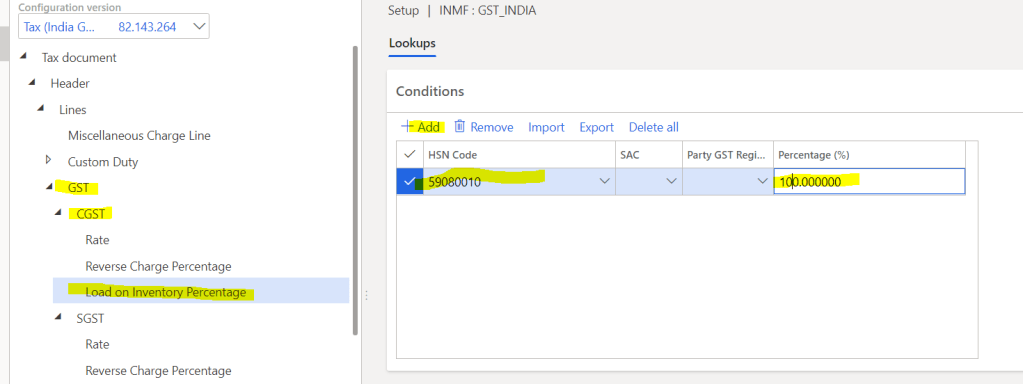
Step-6: Define Load on inventory, this is used when customer does not avail the input credit on any goods or service and customer wants to include this expense to the product cost.
Navigate to Tax > Setup > Tax Configuration > Select legal entity > Tax Setup > Select CGST Node’s Load on Inventory Tab
Note: Repeat the same for SGST and IGST component as well.
That’s it for this part, we have defined the Tax setup and rates. Next blog we will define the mapping in other masters like product, locations, vendor and customers.
Thank You for Reading this!!!
Please give share and give your feedback!!!
 Explore Microsoft Dynamics 365 Finance and Operations Together
Compliments for excellent job, in our setup only two main accounts are used for all of posting types, will it have any impact on reporting, and posting? (refer to your 5th screenshot)
what if i change them now and aligned with your given example, will it have any impact on previous work?
please share your thoughts if there is any way to modify once we “Settle and post sales tax”?
LikeLike
Hi Ali Thanks for the feedback.
1. Yes you can change and it will have impact on your future transactions, so what you can do is do that from a cuttof date, so that you wil know always the change point
2. Having two accounts is also fine but at the trial balance and in genral ledger it creates issue in visibility and reconciliation
Sorry for delay response
LikeLike