Hello Everyone, Welcome to the next blog of GST setup Series. In this blog we will give the final touch to out Setup part and ten after that we will start the transactions.
So, let’s start.
D365 GST module allows us to prepare out final GST settlements within the system, so, if we want to do the final settlement in system and prepare for final return, we can do in D365.
For that most important part is to define the “Sett-off Rules”. Here is the law defines the set-off rules for GST transactions:

Step-1: Sales Tax Hierarchy
This sales tax hierarchy will be used to define the set-off rules for settlements.
Navigate to, Tax > Setup > Sales Tax Hierarchy > New > View
Specify Name and hierarchy type as GTE.

Step-2: Click on Set-off rules for sales tax hierarchy
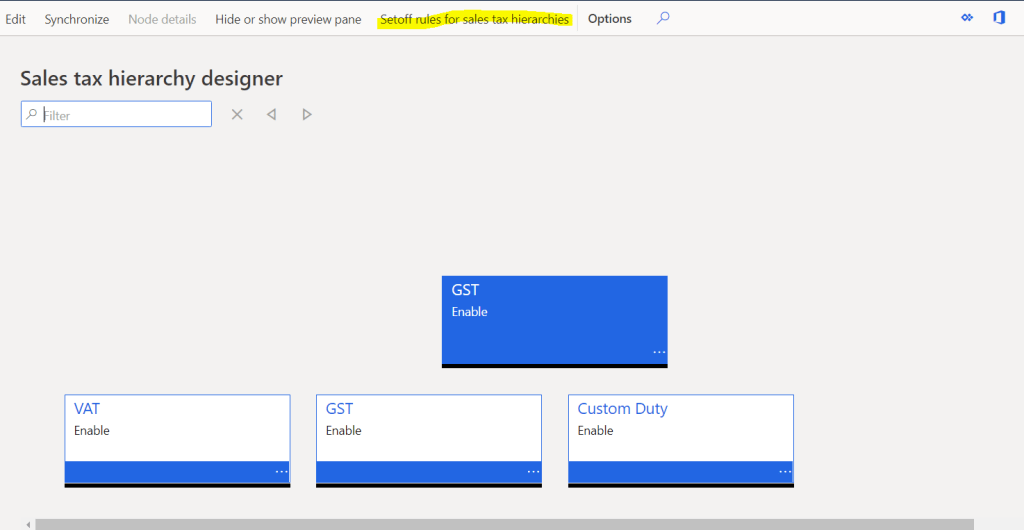
Step-3: Click new and define the rule for each “Component-GST Registration” Combination

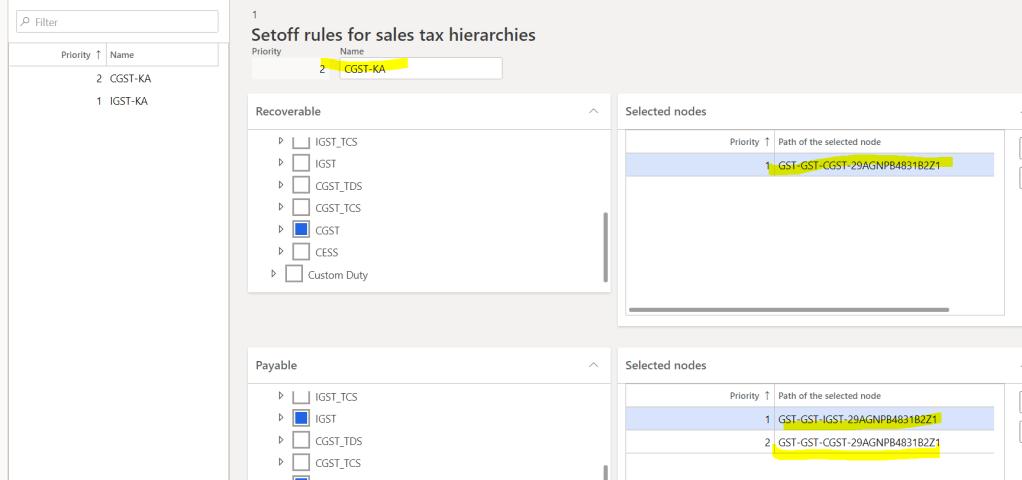
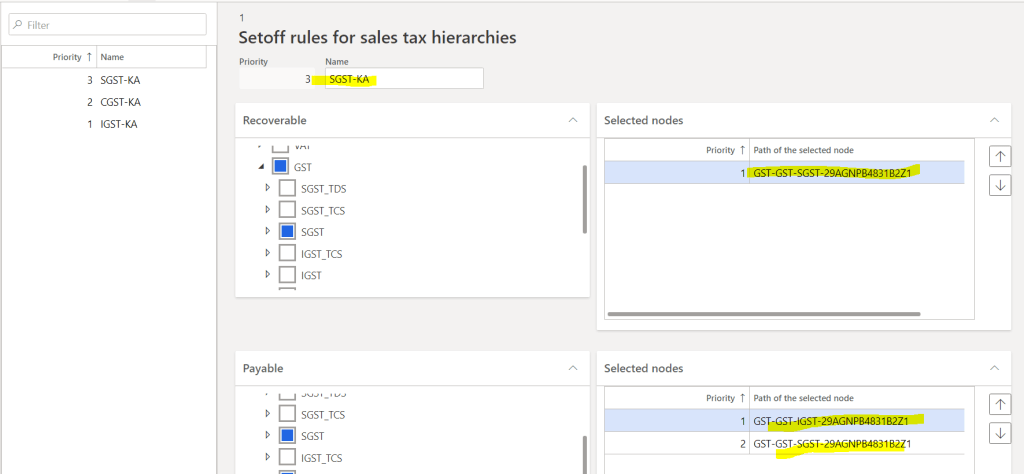
Close , rule window,
Step-4: Synchronize rules, close window

Step-5: Activate and close the sales tax hierarchy, close window


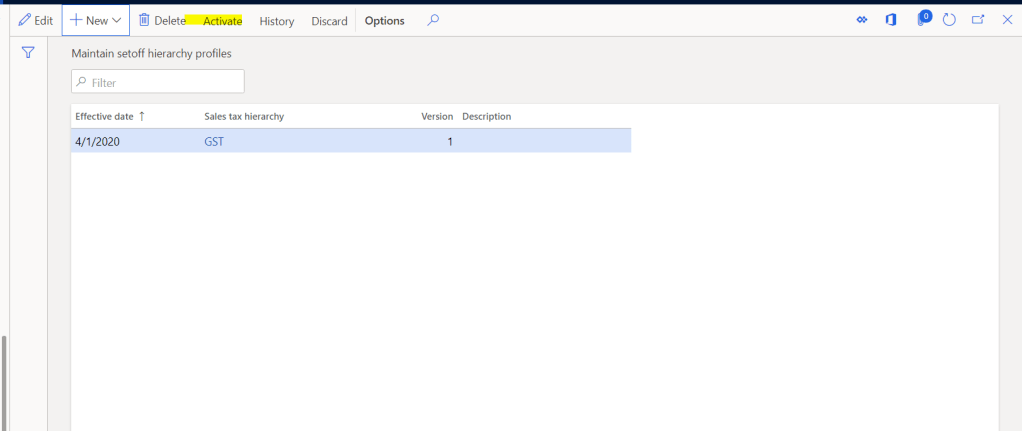
Step-6: Create and Activate “Maintain Setoff Profile”
Navigate to, Tax > Setup > Maintain Setoff profile

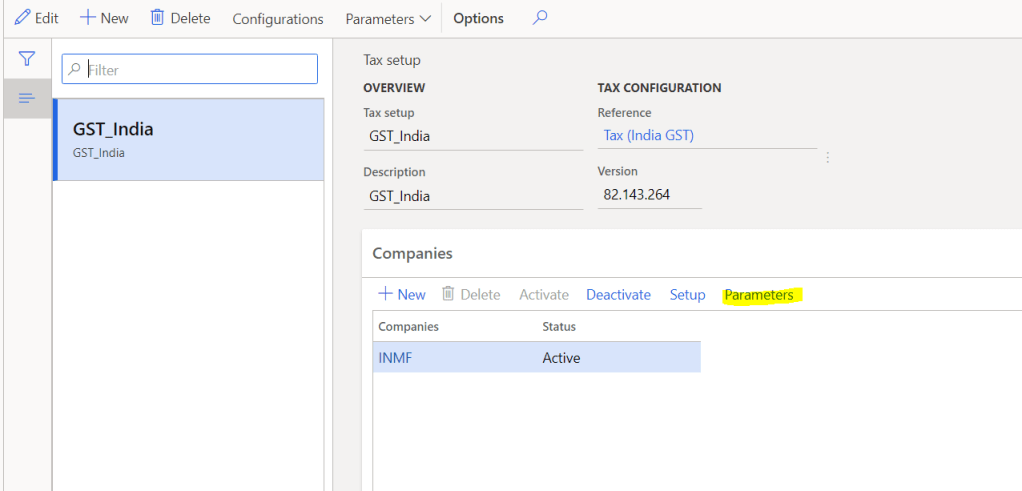
Step-7: Default Tax Journal and other Misc. Setups,
This is the last major setup for GST configuration.
Tax > Setup > Tax Setup > Select Legal Entity > Click on Parameters
Here, we can map default journal name, define tax posting method synchronous or asynchronous, rounding method etc…

That it for this bog and with this we have completed the configuration part require for the GST in D365. Now in next blog we will start with Transactions.
So, keep reading and share with your network. Thanks you !!!
 Explore Microsoft Dynamics 365 Finance and Operations Together